TheEEs (not done yet)
The project takes up the familiar process of screen printing and uses it to make the Ruderplakat typeface playfully tangible. Hand tracking and colour detection translate the physical activity into the typeface in real time. It responds to movement and colour, revealing its character through the direct interplay of hand, material and screen.
CONCEPT
The concept of “TITELNAME” is to explore the graphic potential of a typeface through the connection between screen printing and an interactive digital specimen. Our personal interest in poster design led us to choose the Ruder Plakat typeface, whose expressive character, distinctive shapes and varying letter heights appealed to us the most.
Since screen printing has a long-standing connection to poster culture, particularly through its use of bold colours, strong contrasts and repeatable prints, we chose it as the conceptual and visual foundation for our project.
We translate this traditional printing process into an interactive experience in which physical actions influence the digital type specimen. Through hand tracking and colour detection, users transform the typography with their movements and the colours of physical printing materials. Each downward printing gesture generates a new composition, demonstrating how the typeface can be continuously reinterpreted through form, movement and colour.
PERFORMANCE
media coming soon…
PROCESS
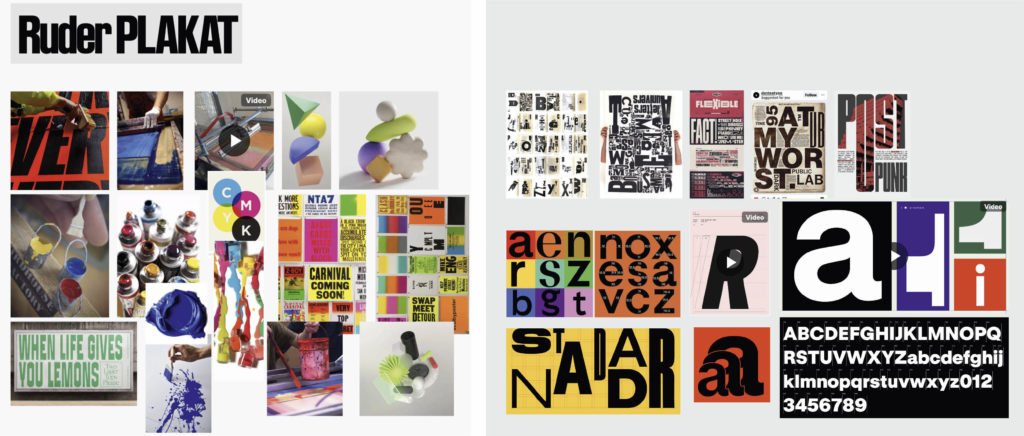
STARTING POINT
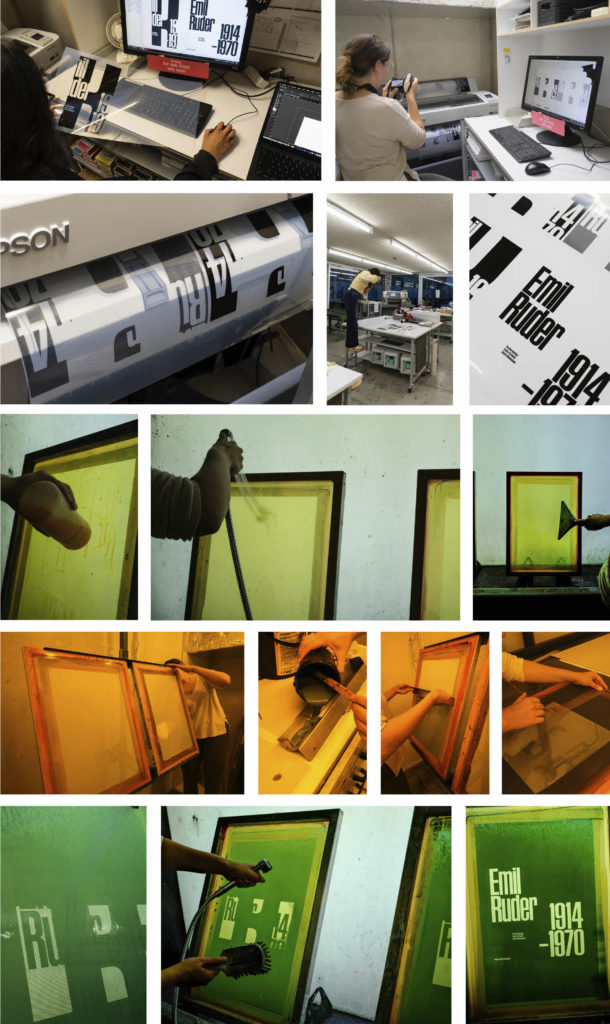
SCREEN PREPARATION
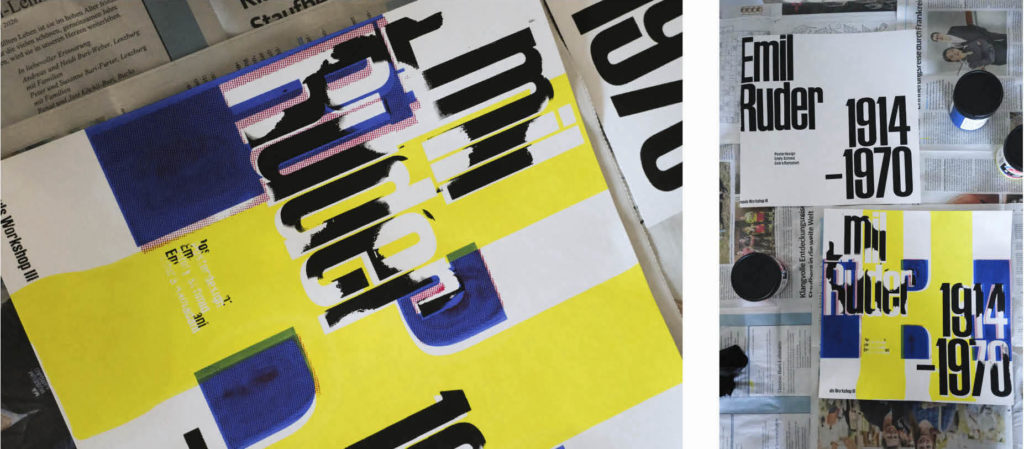
FIRST TEST
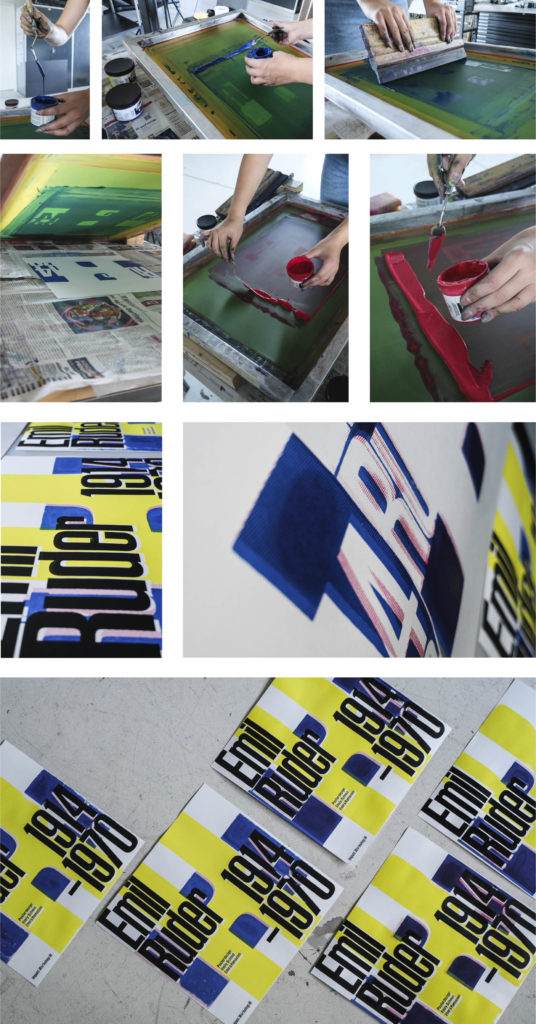
PRINTING
DIGITAL
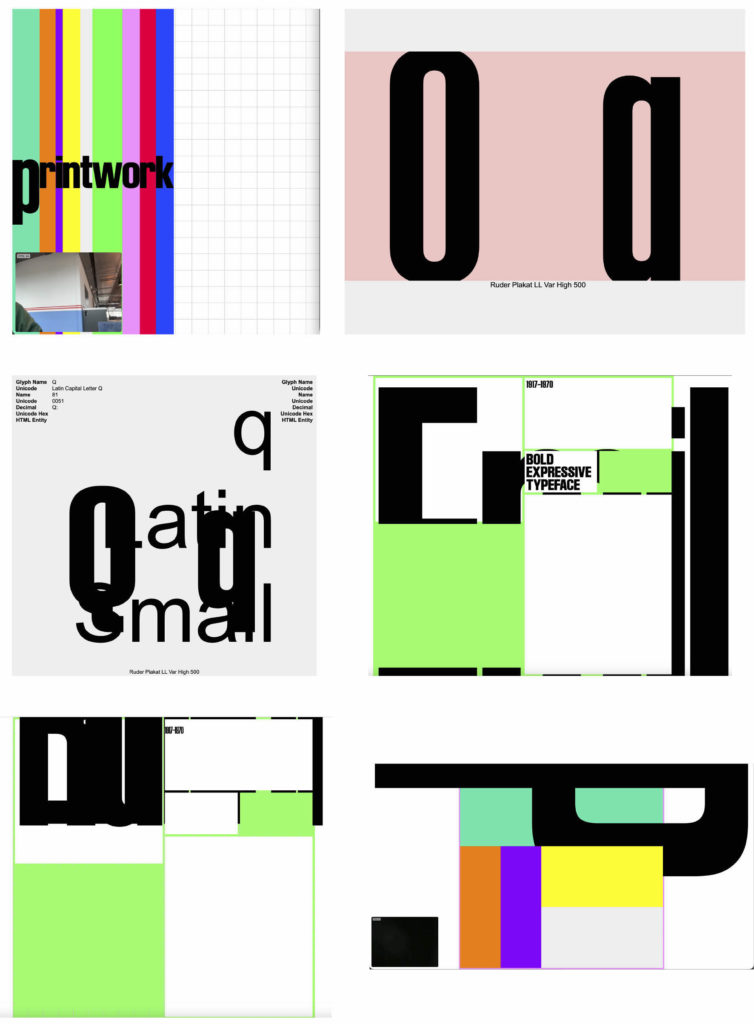
Testing the first slide with hand tracking controls
Slide 2 tested using hand tracking
Trying out color detection on slide 4
CHALLENGES
One of the main challenges was learning screen printing from scratch, as neither of us had worked with this technique before. The printing process required considerable time and experimentation. On the digital side, we faced some difficulties implementing the interaction, particularly the slide transition, which took a long time to develop and get working as intended. Both aspects required patience, testing and several adjustments throughout the project.
function showSlide(index) {
    if (index < 0 || index >= slides.length) return;
    if (index === currentSlide || isAnimating) return;

    const previousSlide = slides[currentSlide];
    const nextSlide = slides[index];

    isAnimating = true;

    previousSlide.classList.remove("slide-in");
    previousSlide.classList.add("active", "slide-out");

    nextSlide.classList.remove("slide-out");
    nextSlide.classList.add("active", "slide-in");

    currentSlide = index;

    setTimeout(() => {
        previousSlide.classList.remove("active", "slide-out");
        nextSlide.classList.remove("slide-in");
        isAnimating = false;
    }, ANIMATION_DURATION);

    console.log("WECHSEL ZU SLIDE:", currentSlide + 1);
}
Timelaps Slidechange
STORYBOARD
The performance «Project Name» is split into two parts: on the left is the physical screen printing workspace, on the right the digital surface, which initially shows the title screen. Every printing step in the physical area triggers a change of the digital specimen, and each specimen responds to hand or color tracking.
To begin, the first screen is laid out, cyan ink is applied, and the squeegee is pulled once across the entire screen. The first specimen then appears on the right, with nine equally sized boxes, each with a letter in its center. Through hand tracking, the position of the index fingertip determines which letter moves, while the distance between index finger and thumb controls how strongly the variable font changes, in combination with its size. The screen is then placed on the paper and the cyan is transferred with the squeegee.
This squeegee movement causes the specimen to change. Now letters are shown in uppercase and lowercase side by side, running in sequence through the entire alphabet. In the upper area, additional details about the letters are displayed, and fine lines mark the x-height, ascender and descender on the side. This specimen also responds to hand tracking: the horizontal position determines how fast the alphabet runs through, while the vertical position changes the variable axes of the typeface. Meanwhile, in the physical area, the squeegee is cleaned, the new screen is put in place, and magenta is applied and spread evenly. Pressing the ink onto the paper triggers the next change.
The third specimen is an animation showing the typeface in motion. Using color tracking, the light blue color is followed, and its horizontal position determines which frame of the animation is jumped to. In the physical area, the magenta screen is removed and the screen with yellow is prepared. At the same time, the squeegee is cleaned with the light blue cloth, which sets the animation in motion, and other stains on the table are cleaned as well.
Once the yellow ink has been applied, spread and transferred onto the paper with the squeegee, the specimen changes again. It now shows four blocks containing different amounts of text, each influenced by its own color through color tracking. Here too, the horizontal position is decisive: far left, the text is small; far right, it is large. In parallel, the screen for printing with black is prepared, and the ink containers are closed and put away, which creates the change in the specimen.
Finally, as before, the black ink is applied, spread with the squeegee and transferred onto the paper. This triggers the last change: the finished poster appears in digital form. At the same time, the last screen is lifted from the paper, so the printed poster becomes visible as well. This marks the end of the performance.
SET UP
For the performance itself, we needed the following materials: newspaper as an underlay, various cloths for cleaning, four printing inks (cyan, magenta, yellow and black), a squeegee and four screens for printing. A wooden block was used to keep the screen raised. For the tracking, we used a 4K webcam in combination with a laptop.
Additional equipment was used to document the performance: we filmed it with three different cameras and lit the space with a total of four lights. Two of them were standard lights, while the other two were fitted with a softbox.
media coming soon…